Generate · Grades 7-12
Prompt Lab
Experiment with prompts and learn what changes model output.
The AI idea behind it
A prompt is the instruction you give an AI model. The model predicts a response from your words, so small changes in a prompt can change the answer a lot.
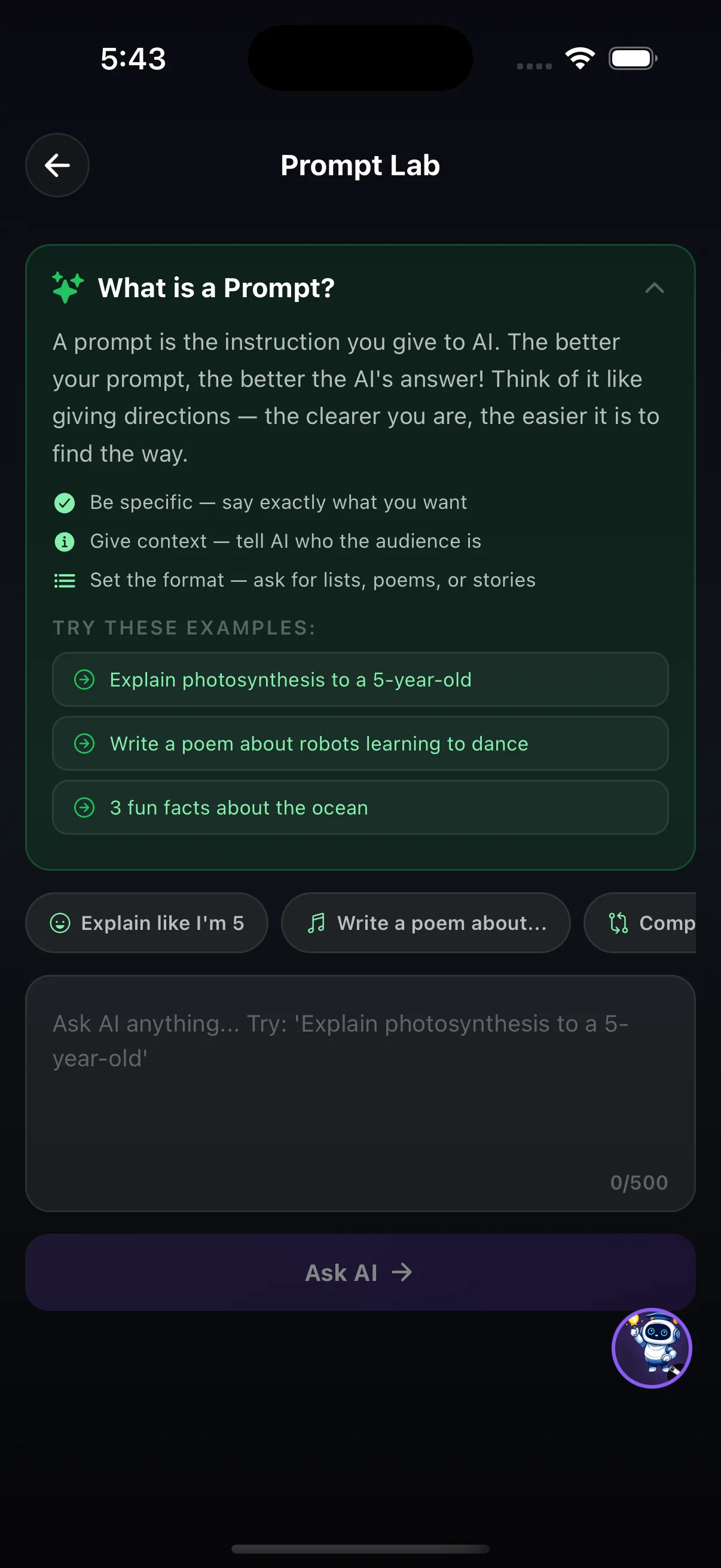
Three habits make prompts better: be specific about what you want, give context such as who the audience is, and set the format, for example a list, a poem or three sentences. Knowing how to prompt is also knowing how to check: models can sound confident and still be wrong.
How it works in the app
- Read the three prompting tips: be specific, give context, set the format.
- Start from an example ("Explain photosynthesis to a 5-year-old", "Write a poem about robots learning to dance") or a quick-start chip such as Explain like I'm 5.
- Type your own prompt (up to 500 characters) and ask the AI, then change one thing and compare.
Try this
One question, three prompts
- Ask: "Tell me about volcanoes." Save the answer.
- Add an audience: "Tell me about volcanoes for a 10-year-old." Then add a format: "…in three bullet points."
- Compare the three answers, then check one fact from the best answer in a textbook or encyclopedia.
What it shows: The model did not get smarter between prompts; the instructions got clearer. And a clear answer still needs checking.
Where it fits in the curriculum
More Generate tools

Try Prompt Lab in the app
One of the creation tools in LittleAIMaster for Grades 6-12.