Build · Grades 7-12
Chatbot Builder
Train a rule-based chatbot and see how intent and response design works.
The AI idea behind it
A rule-based chatbot works by matching what the user types to an intent, the thing the user wants, using trigger keywords. When a message matches an intent, the bot sends that intent's response.
This is how many customer-service bots worked before large language models. Building one shows exactly what the bot can and cannot understand, and why modern assistants generate their replies instead of choosing from a list.
How it works in the app
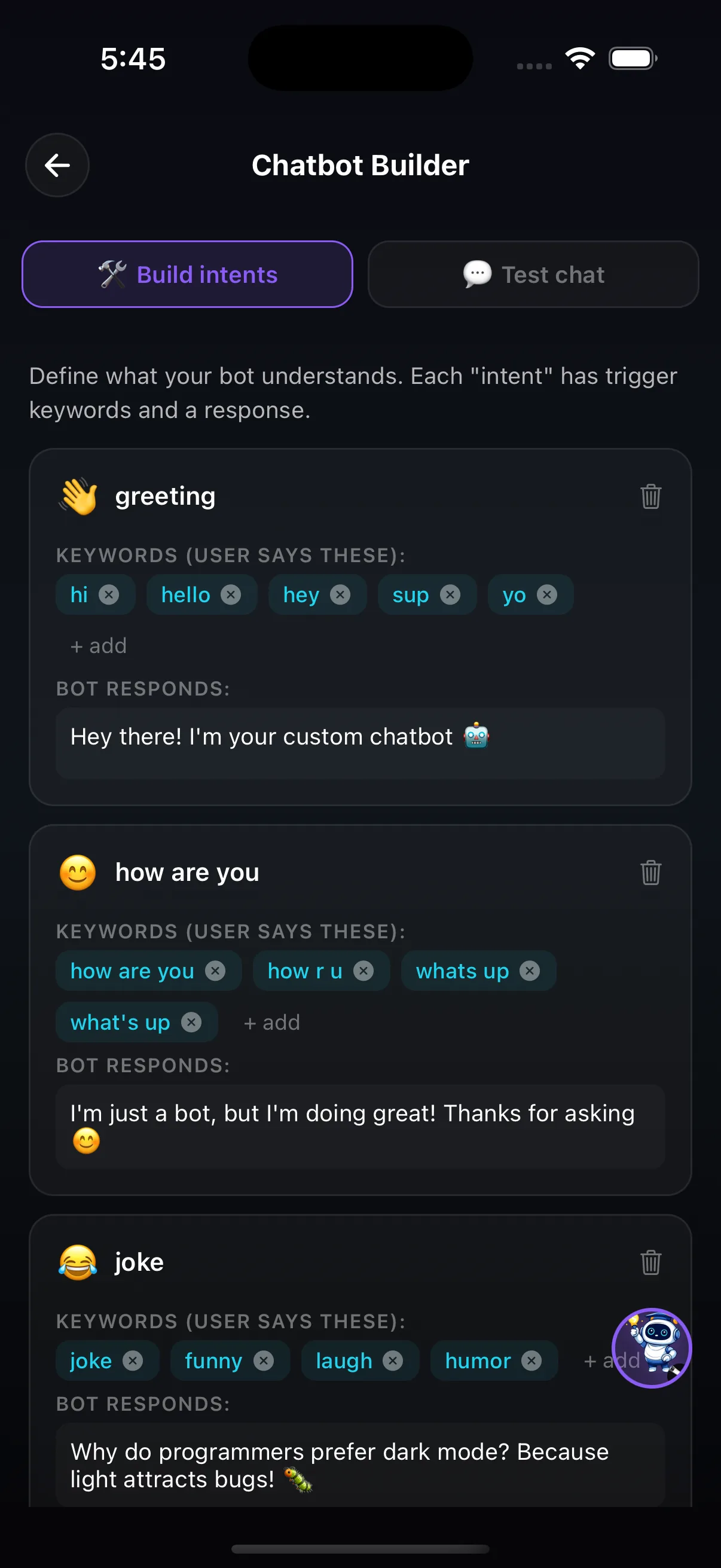
- In Build intents, create intents such as greeting, how are you or joke.
- For each intent, add the keywords a user might type (hi, hello, hey, sup) and write the bot's response.
- Switch to Test chat and talk to your bot. When it misses something, go back and add keywords.
Try this
The homework-helper bot
- Build three intents: a greeting, "when is it due?" and "I need help with maths".
- Ask a friend or family member to chat with the bot without seeing your keywords. Count how many messages it fails to understand.
- Add keywords for every miss and test again with someone new.
What it shows: A rule-based bot only understands what its builder predicted. People phrase the same request in many ways, which is the problem language models were built to handle.
Where it fits in the curriculum
More Build tools
 Decision Tree BuilderDesign decision trees from scratch and watch them classify data in real time.
 Neural Network PlaygroundAdd layers, tweak weights, and visualize how a network learns.
 Recommendation EngineBuild a cosine-similarity recommender and see how Netflix and Spotify choose what to show you next.
Try Chatbot Builder in the app
One of the creation tools in LittleAIMaster for Grades 6-12.